
Part 00: Exploring the Codebase with GitHub Copilot Chat
GitHub Copilot Chat allows you to ask questions about your code and get intelligent responses.
Open Copilot Chat in Ask mode
Section titled “Open Copilot Chat in Ask mode”- Open the solution in Visual Studio 2026 if it is not already open.
- Click on the GitHub Copilot Chat in the top-right corner of Visual Studio and select Open Chat Window or press
Ctrl+\+Cif Copilot chat isn’t open.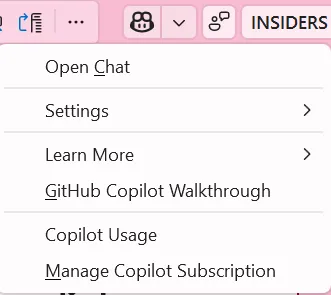
- Ensure that you are in Ask mode by clicking on the Ask tab at the bottom of the chat window.
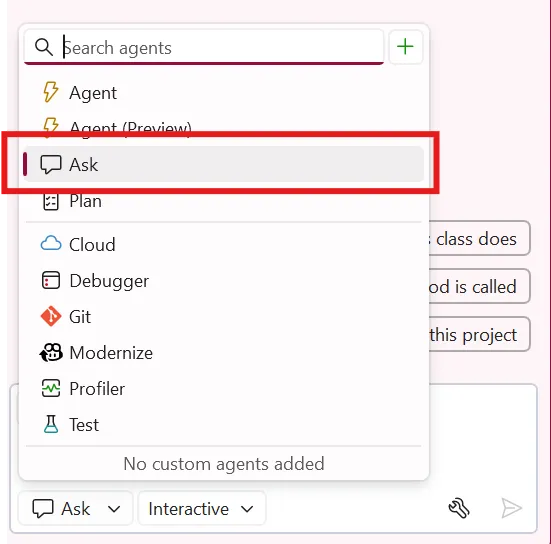
Explore the solution architecture
Section titled “Explore the solution architecture”- Try asking questions about the project structure:
What projects are in this solution and how do things work together?How does the Products API work?
- Notice how Copilot analyzes your codebase to provide contextual answers.
Key Takeaway: GitHub Copilot Chat helps you understand unfamiliar codebases by answering questions about the project structure, architecture, and implementation details.